Are you a filer or non-filer in Pakistan? Have you submitted your income tax return but your status still appears inactive?
The Federal Board of Revenue (FBR) provides official methods to check whether an individual, Association of Persons (AOP) or company appears on the Active Taxpayer List (ATL).
You can verify your filer status using your CNIC, NTN or the online verification service available through FBR IRIS. Individuals can also check their status by sending an SMS to 9966.
In this complete guide, AsaanTax.pk explains how to check FBR ATL status through SMS 9966 and online verification, how to understand active and inactive results, what happens after late filing, and how to resolve common status problems.
Last updated: November 3, 2026.
What Is FBR ATL (Active Taxpayer List)?
ATL stands for Active Taxpayer List.
It is the official list maintained by the Federal Board of Revenue showing taxpayers who satisfy the applicable requirements for active income tax filer status.
The list helps determine the withholding tax treatment of taxpayers for various transactions in Pakistan.
Depending on the applicable law, a person appearing on the ATL may qualify for lower withholding tax rates on selected transactions.
ATL verification is commonly required when:
- Buying or selling immovable property.
- Purchasing or registering a vehicle.
- Receiving certain investment payments.
- Completing banking or financial transactions.
- Dealing with businesses or institutions that verify taxpayer status.
- Confirming a company's or AOP's income tax filing status.
Important: Having an NTN or registering with FBR does not automatically mean that a taxpayer appears on the Active Taxpayer List.
FBR ATL Status Check – Three Official Methods
According to FBR, income tax ATL status can be verified using three main methods.
| Verification Method | What You Need |
|---|---|
| SMS to 9966 | Individual CNIC or company/AOP NTN |
| FBR IRIS online verification | CNIC, NTN or another supported registration identifier |
| Download official ATL | FBR's latest downloadable Active Taxpayer List |
The online verification method is particularly useful when you want to review the current status through the official FBR system.
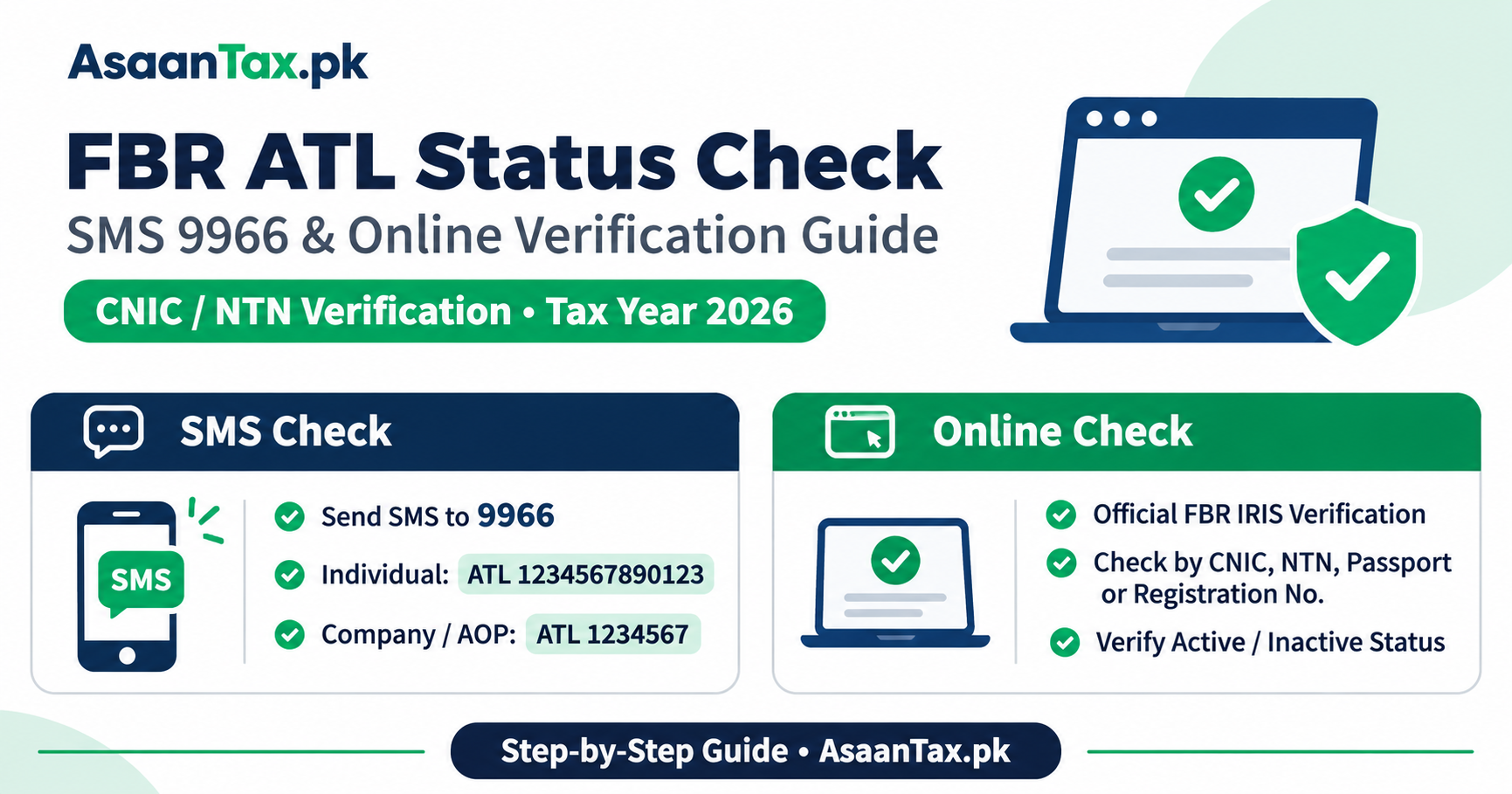
Method 1: How to Check Filer Status by SMS 9966
FBR provides an SMS-based facility to check Active Taxpayer List status.
For an individual taxpayer, follow these steps.
Step 1: Open Your Mobile SMS Application
Open the normal text messaging application on your mobile phone.
Step 2: Type ATL Followed by Your CNIC
Enter the word ATL, followed by a space and your 13-digit CNIC number without dashes.
SMS format:
ATL 1234567890123
The number above is only an example. Replace it with your own 13-digit CNIC.
Step 3: Send the SMS to 9966
Enter 9966 as the recipient.
Step 4: Review the Reply
FBR's SMS service provides a response regarding the taxpayer's status.
The response may indicate that the taxpayer is active or inactive, depending on the records available.
Standard operator SMS charges may apply.
Important SMS Instructions
- Use the word ATL.
- Insert a single space after ATL.
- Enter the CNIC without dashes.
- Check that the CNIC contains 13 digits.
- Send the message to the official FBR shortcode 9966.
If the service does not respond or the result is unclear, use the official online verification facility.
Method 2: How to Check Company or AOP Filer Status by SMS
The SMS format is slightly different for an Association of Persons or a company.
Instead of an individual's CNIC, use the business's seven-digit NTN.
SMS Format for Company or AOP
ATL 1234567
Replace the example with the actual seven-digit NTN.
Send the message to 9966.
FBR provides the same shortcode for company and AOP ATL status verification.
Method 3: How to Check FBR ATL Status Online
The FBR IRIS portal provides an online Active Taxpayer List verification service.
Step 1: Visit FBR IRIS
Open the official website:
Step 2: Find Online Verifications
Look for the Online Verifications section on the IRIS website.
Step 3: Select Active Taxpayer List (Income Tax)
Choose the option labeled:
Active Taxpayer List (Income Tax)
Do not confuse it with the Active Taxpayer List for Sales Tax.
Income tax ATL and sales tax active taxpayer status are different records.
Step 4: Select Identification Type
The FBR system supports verification parameters such as:
- CNIC.
- NTN.
- Passport number.
- Registration or incorporation number.
Choose the appropriate identification category.
Step 5: Enter Identification Details
Enter your CNIC, NTN or other selected identifier in the required field.
Step 6: Complete Captcha Verification
Enter the displayed captcha or verification code.
Step 7: Click Verify
Press the Verify button.
Step 8: Review the Result
The system displays the available taxpayer verification details.
Check whether the filing status appears active or inactive.
If the portal requires a verification date or other details, provide the information requested by the current interface.
Always rely on the official FBR verification result rather than an unofficial third-party claim.
How to Download the FBR Active Taxpayer List
FBR also publishes downloadable ATL files.
To access them:
- Visit https://www.fbr.gov.pk/.
- Open the Active Taxpayer List section.
- Select Download ATL.
- Choose the Income Tax list.
- Download the currently available file.
- Search using the appropriate taxpayer identifier where supported.
The official ATL download page indicates the list's last update date.
Large ATL files may be less convenient for a quick individual lookup, so SMS or online verification is usually easier.
What Does Active Filer Status Mean?
An active ATL status generally means that the taxpayer is included in the relevant Active Taxpayer List according to FBR's records.
This status may allow the taxpayer to receive the withholding tax treatment available to persons appearing on the ATL.
However, an active status does not automatically mean:
- All outstanding income tax has been paid.
- Every previous year's return was filed.
- The taxpayer has no outstanding FBR notice.
- The taxpayer qualifies for every possible tax exemption.
- The taxpayer is exempt from filing future returns.
ATL status confirms inclusion in the relevant list, not complete clearance of all possible tax obligations.
What Does Inactive ATL Status Mean?
An inactive result means the taxpayer is not appearing as active in the relevant verification record at the time checked.
Possible reasons include:
- The required income tax return has not been filed.
- The return was filed for the wrong tax year.
- The return was submitted after the applicable deadline.
- An applicable ATL surcharge requirement has not been completed.
- A return or payment has not yet been reflected in the relevant system.
- There is another registration or verification issue.
An inactive result does not necessarily prove that the taxpayer has never filed an income tax return.
The taxpayer should check the return filing acknowledgment, tax year and official account records.
Filer vs Non-Filer in Pakistan – What Is the Difference?
The terms filer and non-filer are commonly used to describe whether a person appears on FBR's Active Taxpayer List.
| Matter | Active Taxpayer | Not on ATL |
|---|---|---|
| ATL verification | Appears active | Does not appear active |
| Certain withholding taxes | Eligible for ATL rates | Higher non-ATL rates may apply |
| Tax return filing obligation | Depends on law | Depends on law |
| Outstanding taxes | May still exist | May still exist |
| NTN registration | Can be registered | Can also be registered |
A person's ATL status is important, but actual tax treatment must be determined under the relevant law and the transaction involved.
How Often Does FBR Update the ATL?
FBR announced significant changes to the ATL update process through SRO 1638(I)/2024, dated October 18, 2024.
Under those changes, the ATL moved from weekly updating to daily updates.
FBR stated that taxpayers who satisfy the relevant return filing requirements can be reflected in the ATL more promptly.
Some older informational pages still describe the previous weekly or March-to-February process.
For a current check, the official verification result and the update date on the latest ATL should be preferred over outdated descriptions.
Why Is My FBR ATL Status Inactive After Filing a Tax Return?
If you recently submitted an income tax return but your ATL status remains inactive, review the following issues.
1. Check the Correct Tax Year
Confirm that you filed the return required for the relevant ATL.
A return filed for an earlier year may not satisfy the current ATL requirement.
2. Verify Successful Return Submission
Log in to FBR IRIS and check that the return has actually been submitted.
Saving a draft does not mean the return was filed.
3. Check Whether the Return Was Filed Late
If you filed after the applicable deadline, an ATL surcharge under Section 182A may apply, subject to statutory conditions and exceptions.
4. Verify Any ATL Surcharge Payment
If you were required to pay the surcharge, verify the payment through the official CPR or PSID records.
5. Allow for System Processing
Check the updated FBR verification records after the relevant filing or payment information has been processed.
6. Contact Official Support If Necessary
If your records show a valid return and successful payment but your status remains incorrect, use FBR's official support channels.
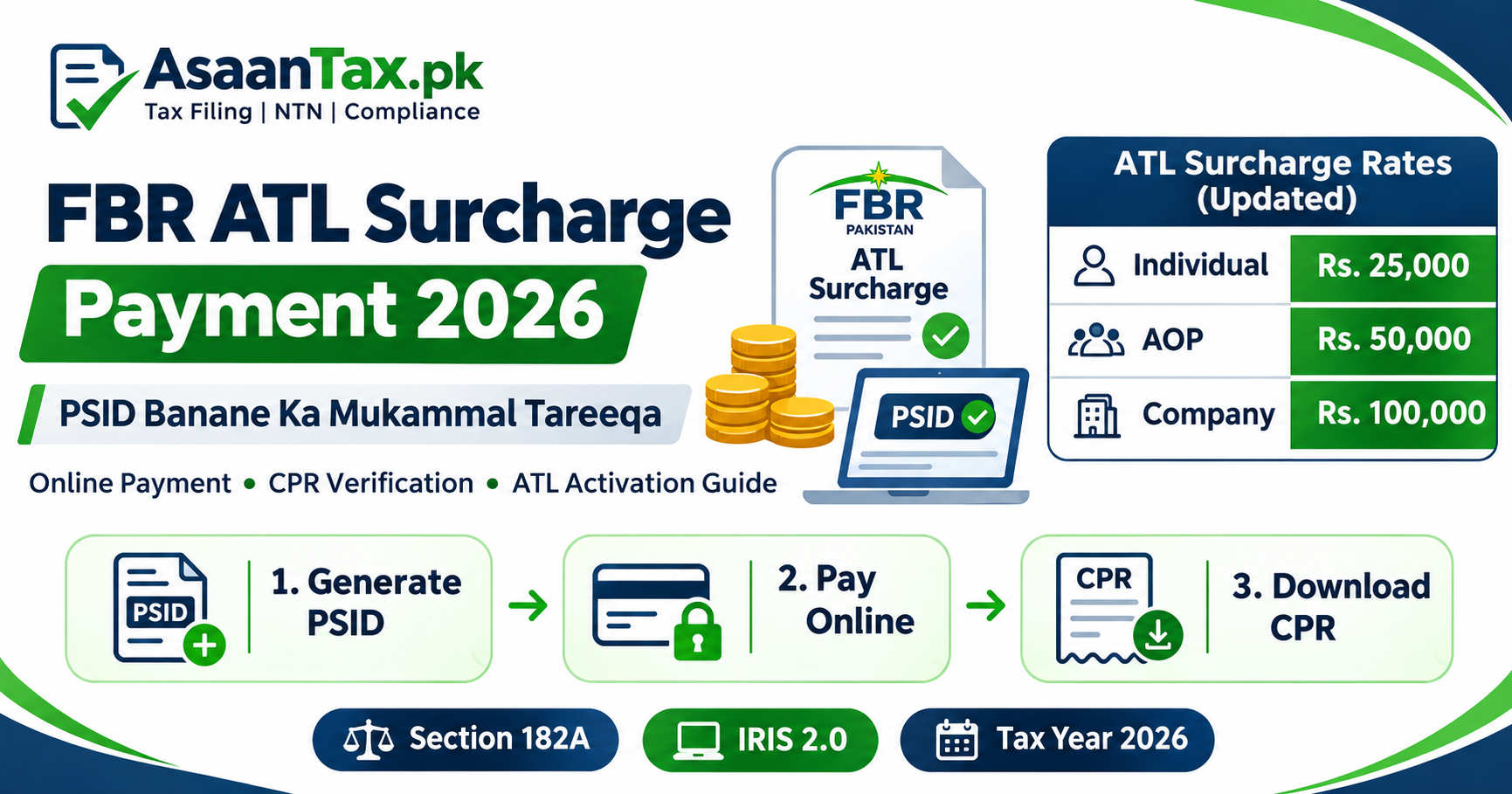
Latest ATL Surcharge Rates – Finance Act 2026
The Finance Act 2026 amended Section 182A and increased the statutory ATL surcharge amounts.
| Taxpayer Category | ATL Surcharge |
|---|---|
| Individual | Rs. 25,000 |
| Association of Persons (AOP) | Rs. 50,000 |
| Company | Rs. 100,000 |
These amounts apply where the relevant ATL surcharge requirement is triggered.
The surcharge is not automatically payable by every taxpayer whose status appears inactive.
A person should first establish whether they filed late, whether the required return is relevant to the current ATL and whether any statutory exception applies.
Important Section 182A Exception
Finance Act 2026 also introduced a conditional exception for eligible individuals who furnish a prescribed undertaking before the Commissioner not to acquire ownership or beneficial interest in property for six months.
The exception is subject to legal conditions and should not be treated as an automatic waiver.
How to Become a Filer If Your Status Is Inactive
If you are required to file an income tax return and want to establish active taxpayer status, the general process is:
Step 1: Register With FBR
Confirm your FBR registration through IRIS.
Step 2: Determine the Required Tax Year
Identify the tax year relevant to your filing obligation and ATL status.
Step 3: Prepare Your Income Tax Return
Collect the required salary, business, property, investment or other income records.
Step 4: Complete the Wealth Statement
Where legally required, prepare and reconcile your wealth statement.
Step 5: Submit the Return
Complete and submit the return through the official FBR IRIS portal.
Step 6: Review Late-Filing Requirements
If the return was submitted late, determine whether the ATL surcharge or an available exception applies.
Step 7: Verify Your Status
Use the online portal or send an SMS to 9966 to confirm whether your record has become active.
Can I Check Filer Status Without Logging In?
Yes.
FBR provides public ATL verification facilities.
The SMS service does not require logging in to your IRIS account.
Similarly, the online Active Taxpayer List verification facility is accessible from the official FBR portal's verification section.
However, you may need to log in to examine return submission records, payment details or other private taxpayer information.
Can I Check Filer Status Using Only My CNIC?
Yes.
For an individual taxpayer, a 13-digit CNIC can generally be used for FBR ATL verification.
You can:
- Send
ATLfollowed by your CNIC to 9966. - Select CNIC in the official online verification service.
- Review the current Active Taxpayer List status.
Always use the CNIC number accurately and without dashes in the SMS.
Can Overseas Pakistanis Check ATL Status?
Yes.
Overseas Pakistanis who have the relevant taxpayer identification information can use the official FBR online verification facilities.
The SMS service may not be accessible through every overseas mobile network or international roaming arrangement.
In such cases, online verification may be more convenient.
An overseas Pakistani's legal income tax filing obligations and access to certain special withholding tax treatments depend on individual circumstances.
Not every overseas Pakistani is legally required to file merely because they have Pakistani nationality or a NICOP.
How to Check AJK Active Taxpayer Status
FBR also describes a separate SMS format for verifying Azad Jammu and Kashmir (AJK) active taxpayer status.
For an individual, the published format is:
AJKATL 1234567890123
For an eligible AJK taxpayer using an 11-digit NTN, the published format is:
AJKATL followed by a space and the 11-digit NTN.
Send the relevant SMS to 9966.
The Income Tax Ordinance also contains provisions concerning the recognition of the AJK Active Taxpayer List.
Why Is ATL Status Important When Buying Property?
When a person buys or sells immovable property in Pakistan, the applicable withholding tax treatment can depend on the taxpayer's ATL status and other legal classifications.
A person appearing on ATL may be eligible for lower rates than a person not appearing on ATL.
However, the final tax payable depends on the transaction value, relevant Finance Act, taxpayer classification and applicable provisions.
Before transferring property, verify your status directly through FBR.
Why Does ATL Status Matter for Car Registration?
Advance income tax on qualifying vehicle purchases or registrations can differ according to whether the purchaser appears on ATL.
The rate also depends on the vehicle's engine capacity, taxable value and transaction category.
A vehicle buyer should verify the taxpayer's status before calculating the applicable withholding tax.
Is FBR ATL Verification Free?
FBR provides online verification through its official portal without requiring payment to an outside verification service.
The SMS verification facility may involve ordinary telecom operator charges.
Do not pay an unofficial agent simply to receive a basic status result that can be obtained through official verification.
Professional assistance with return filing, payment correction or tax compliance is a separate service.
Is ATL Status the Same as NTN Registration?
No.
An NTN or FBR registration record identifies a taxpayer in the tax system.
ATL status relates to whether the taxpayer satisfies the requirements for inclusion in the active income tax filer list.
A person may have an NTN and still appear inactive.
Similarly, submitting a return late may require additional steps before the taxpayer appears on ATL.
Common Errors When Checking ATL Status
Common mistakes include:
- Entering a CNIC with dashes in the SMS.
- Using the wrong number of CNIC digits.
- Forgetting the space after ATL.
- Sending the message to an unofficial shortcode.
- Using CNIC instead of NTN for a company or AOP.
- Selecting Sales Tax ATL instead of Income Tax ATL.
- Checking a previous tax year without considering the relevant current ATL.
- Assuming a saved draft means an income tax return has been submitted.
- Ignoring an applicable late-filing surcharge requirement.
- Relying on an outdated screenshot rather than current FBR verification.
How AsaanTax.pk Can Help You Check and Maintain Filer Status
Are you unsure whether your name appears on the FBR Active Taxpayer List?
Have you submitted your return but your filer status still shows inactive?
AsaanTax.pk provides assistance with FBR income tax registration, return filing and ATL-related compliance.
Our services include:
- NTN registration assistance.
- Income tax return preparation and filing.
- Salaried individual tax returns.
- Business and freelance tax filing.
- Late income tax return guidance.
- ATL status verification guidance.
- PSID and CPR verification assistance.
- Wealth statement preparation and reconciliation.
- General FBR compliance support.
Our team can help you understand the steps needed to review and address your tax filing status.
Check Your FBR Filer Status Today
Use the official FBR verification service or SMS shortcode 9966 to confirm your Active Taxpayer List status.
For additional income tax return filing and compliance guidance, visit:
AsaanTax.pk is an independent tax services platform. It is not affiliated with or operated by the Federal Board of Revenue or the Government of Pakistan.
Official Sources and References
- FBR – Check Active Taxpayer Status
- FBR – IRIS 2.0 Online Verification
- FBR – Download Active Taxpayer List
- FBR – ATL Daily Update Announcement
- FBR – Income Tax Ordinance, 2001
- FBR – Finance Act 2026
Last updated: November 3, 2026.
Disclaimer: The article is provided for general educational information. Official ATL status, tax year requirements, surcharge liability and withholding tax treatment depend on current FBR records and applicable law. Verify your status through FBR before making a financial transaction or tax-related decision.