FBR Declares Thousands of Taxpayers Inactive After 31 October 2026 Deadline: How to Check ATL Status and Reactivate
Published: November 12, 2026
Country: Pakistan
Tax Year: 2026
Tax Authority: Federal Board of Revenue (FBR)
Relevant Law: Income Tax Ordinance, 2001
Important Deadline: October 31, 2026
Latest ATL Verification: November 2026
Introduction
Thousands of taxpayers in Pakistan have reportedly lost their Active Taxpayer List (ATL) status following the expiry of the extended income tax return filing deadline of October 31, 2026.
According to reports published by Business Recorder and Pakistan Today on November 2, 2026, the Federal Board of Revenue (FBR) changed the status of thousands of taxpayers from active to inactive after the filing deadline.
Tax experts also reported that some people who had submitted extension applications were affected. However, individual extension cases require verification, and no precise official count of affected taxpayers has been established in the sources reviewed.
For salaried individuals, business owners, property investors and other taxpayers, inactive status may have important financial consequences.
A person not appearing on the Active Taxpayer List may face higher withholding tax on transactions where the law distinguishes ATL taxpayers from those not appearing on the list.
Fortunately, taxpayers can check their ATL status online or by SMS and take steps to resolve missing returns, surcharge payments or other compliance problems.
This guide explains the October 2026 developments, how to verify filer status using CNIC or NTN, how to file a late income tax return, how to pay the ATL surcharge, and what to do if a taxpayer remains inactive despite filing.
1. What Happened After the October 31, 2026 Deadline?
The original ordinary filing deadline for many Tax Year 2026 returns was September 30, 2026.
FBR subsequently extended the general deadline to October 15 and then October 31, 2026.
After the extended deadline expired, media reports dated November 2 stated that thousands of taxpayers were shown as inactive.
Important Timeline
| Date | Event |
|---|---|
| September 30, 2026 | Original general filing deadline |
| October 15, 2026 | First general extension |
| October 31, 2026 | Further extended filing deadline |
| November 2, 2026 | Reports of thousands being marked inactive |
| November 11, 2026 | FBR's official ATL download showed an updated list |
Important: These reports concern the specific 2026 filing cycle. FBR's older clarifications from 2025 should not automatically be treated as evidence of its position on extension applications submitted in October 2026.
Taxpayers should check their own records and verify the current list rather than relying solely on media reports.
2. What Is the FBR Active Taxpayer List?
The Active Taxpayer List, commonly called ATL, is FBR's official record used to identify qualifying income tax return filers.
Being registered with FBR and appearing on ATL are not necessarily the same thing.
For example, an individual may already have an NTN or an IRIS account but still show as inactive because the relevant return or other ATL requirement has not been satisfied.
ATL Is Important For
- Salaried individuals.
- Business owners.
- Property buyers and sellers.
- Vehicle purchasers.
- Investors.
- Bank depositors.
- Freelancers.
- Companies.
- Associations of Persons (AOPs).
The benefits and tax rates applicable to each category depend on current legislation.
3. What Does Inactive Taxpayer Status Mean?
An inactive ATL result generally means that the taxpayer is not presently included in the applicable Active Taxpayer List.
It does not necessarily mean that the person's NTN has been cancelled.
Similarly, inactive ATL status does not automatically prove that a person has committed tax fraud or received an enforcement notice.
There may be several reasons for an inactive result.
Common Reasons
- The relevant income tax return was not submitted.
- A return was saved as a draft but not successfully filed.
- A late return was filed, but required ATL surcharge was not paid.
- The taxpayer checked an incorrect tax year or identifier.
- Payment information has not been correctly reflected.
- An extension or filing record requires verification.
- There is a registration or data-matching issue.
The correct next step depends on the underlying cause.
4. How to Check ATL Status Online Using CNIC
FBR provides an official online verification system.
Step 1: Open IRIS
Visit:
Step 2: Find Online Verifications
Open the Active Taxpayer List (Income Tax) verification service.
Step 3: Select CNIC
For an individual taxpayer, select the CNIC option where available.
Step 4: Enter the CNIC
Enter the required identification number in the format requested by the portal.
Step 5: Choose the Applicable Date
Where the verification form requires a date, select the appropriate verification date.
Step 6: Enter the Captcha
Complete the displayed verification code.
Step 7: Select Verify
Submit the request.
Step 8: Review the Result
Check the reported ATL status and any other displayed information.
If the result is inactive, confirm the correct tax year and review your income tax filing record.
Official FBR Website:
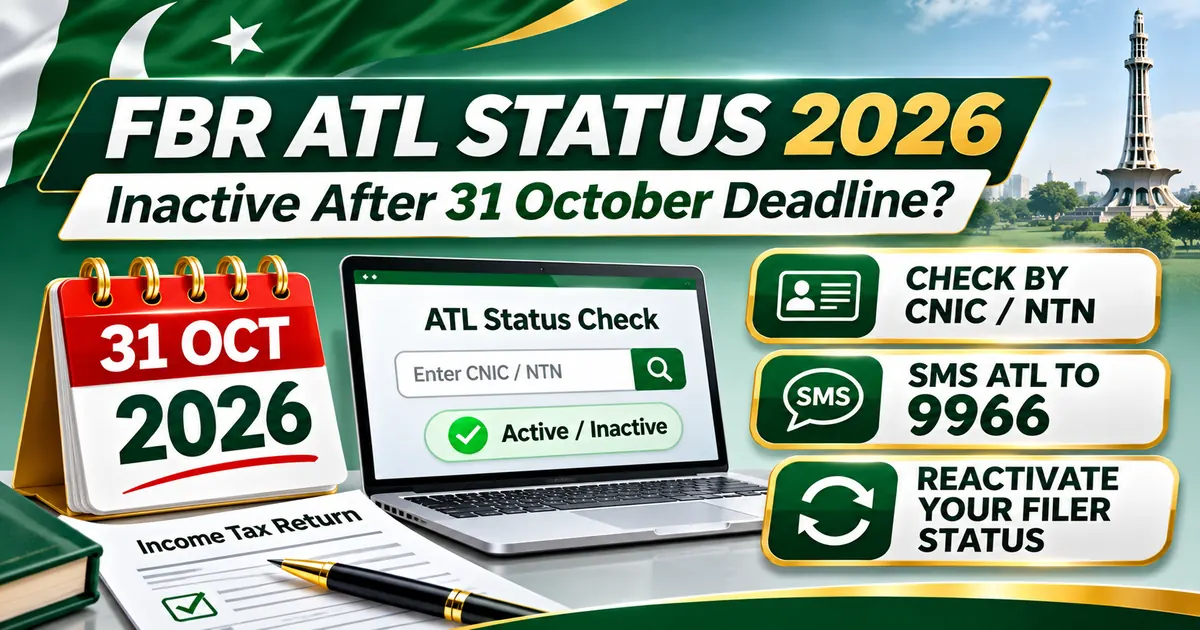
5. How to Check FBR ATL Status by SMS 9966
FBR also provides an SMS verification service.
For individuals, send the following format to 9966:
ATL [space] 13-digit CNIC
Example Format
ATL 1234512345671
The number above is illustrative only.
For a company or Association of Persons, the general format is:
ATL [space] 7-digit NTN
Steps
- Open your mobile messaging application.
- Type ATL followed by a space.
- Enter the relevant CNIC or NTN.
- Send the message to 9966.
- Review the reply.
The actual reply reflects the official service response.
Do not post your real CNIC or NTN publicly to check ATL status.
6. How to Check Company or AOP ATL Status
Businesses can verify ATL status using the official FBR portal.
The process is similar to checking individual status.
However, the correct identifier may be a company or AOP NTN rather than an individual's CNIC.
Steps
- Open FBR's online verification service.
- Select Active Taxpayer List (Income Tax).
- Choose the relevant identifier type.
- Enter the correct NTN or registration number.
- Complete verification.
- Check the displayed result.
A company's status and an individual shareholder's status are separate matters.
A business owner's personal ATL inclusion does not automatically establish the company's ATL status.
7. Can Someone Become Active Again After October 31, 2026?
Yes, taxpayers who miss the deadline can generally still file income tax returns and seek inclusion in the Active Taxpayer List, subject to the current legal requirements.
Late filing is not the same as being permanently prohibited from filing.
FBR's ATL system provides for qualifying late filers to be included after filing the relevant return and paying the prescribed ATL surcharge.
However, a late return can also give rise to separate penalties or other consequences.
Basic Reactivation Process
Step 1: Verify the current ATL result.
Step 2: Check whether the relevant income tax return has been submitted.
Step 3: Complete and submit any missing return.
Step 4: Pay outstanding income tax, if applicable.
Step 5: Determine whether an ATL surcharge is required.
Step 6: Generate the appropriate PSID and make payment.
Step 7: Save the Computerized Payment Receipt (CPR).
Step 8: Recheck the ATL after processing.
The exact treatment can depend on the taxpayer's circumstances and any valid filing extension.
8. How to File a Late Income Tax Return Through IRIS
The official IRIS portal provides electronic income tax return filing.
Step 1: Log In to IRIS
Visit https://iris.fbr.gov.pk/.
Step 2: Select the Correct Tax Year
For the current issue, review Tax Year 2026.
Step 3: Open the Income Tax Return
Select the relevant return form available for the taxpayer.
Step 4: Enter Income Details
Report applicable income sources, including:
- Employment salary.
- Business income.
- Rental income.
- Profit on debt.
- Capital gains.
- Other relevant taxable income.
Step 5: Review Withholding Tax
Check tax already deducted and supported by the relevant records.
Step 6: Complete the Wealth Statement
Where required, declare relevant assets, liabilities, expenses and changes in wealth.
Step 7: Reconcile the Wealth Statement
Resolve unexplained differences before submitting.
Step 8: Review Tax Payable
Confirm any remaining liability and applicable payments.
Step 9: Submit the Return
Complete the final submission process.
Step 10: Save the Acknowledgment
Retain proof that the return was successfully filed.
A saved draft is not the same as a submitted income tax return.
9. What Is the ATL Surcharge Under Section 182A?
Section 182A of the Income Tax Ordinance, 2001 addresses the surcharge associated with ATL inclusion for qualifying late filers.
FBR's published ATL guidance lists the following amounts.
| Taxpayer Type | Published ATL Surcharge |
|---|---|
| Individual | Rs. 1,000 |
| Association of Persons (AOP) | Rs. 10,000 |
| Company | Rs. 20,000 |
These are ATL surcharge amounts, not the complete schedule of penalties for late income tax return filing.
Taxpayers should confirm the applicable amount and payment head in the current FBR system before paying.
Important Distinction
An ATL surcharge is a payment required for qualifying late-filer inclusion.
A late-filing penalty is a separate matter governed by the applicable penalty provisions.
Paying Rs. 1,000 does not automatically eliminate every other tax liability or legal consequence.
10. How to Pay the ATL Surcharge Online
FBR provides electronic payment services for taxpayers.
Step 1: Open the FBR e-Payment Service
Visit:
https://iris.fbr.gov.pk/payment
Step 2: Select Income Tax
Choose the relevant tax payment category.
Step 3: Select Miscellaneous Payment
FBR's published instructions identify the miscellaneous payment category for ATL surcharge payments.
Step 4: Choose the Correct Payment Head
Select the appropriate ATL surcharge option or applicable payment head shown in the current system.
Step 5: Enter Taxpayer Details
Provide the correct CNIC, NTN or other required registration information.
Step 6: Check the Tax Year
Confirm the period to which the payment relates.
Step 7: Verify the Amount
Check the surcharge amount applicable to the taxpayer.
Step 8: Generate the PSID
A Payment Slip ID is generated for the payment.
Step 9: Pay Through an Available Channel
Complete payment using a supported banking or electronic payment method.
Step 10: Save the CPR
Retain the Computerized Payment Receipt.
Step 11: Recheck ATL Status
Verify the updated record through the official FBR service.
Important: Do not pay a surcharge blindly if you had a timely filed return, a valid extension or a disputed record. First verify the legal basis for the payment.
11. How Long Does ATL Reactivation Take?
FBR introduced daily ATL updates through amendments notified in October 2024.
This replaced the older weekly update practice.
Therefore, taxpayers who satisfy the relevant return and payment requirements may see their ATL position updated through the daily processing cycle.
However, daily updates do not guarantee that every payment or disputed case is reflected instantly.
If the status remains inactive after the relevant processing period, review the filing and payment records and contact FBR through its official channels.
12. What If You Filed Before October 31 but Still Show Inactive?
A taxpayer who believes their return was filed on time should not immediately assume they must file again or pay an ATL surcharge.
Instead:
- Open IRIS and confirm the return's final submission status.
- Check the acknowledgment and filing date.
- Verify the tax year.
- Confirm the correct CNIC or NTN.
- Check whether the system shows a processing or registration issue.
- Review any relevant FBR notices.
- Submit an appropriate correction or support request where required.
Maintaining a copy of the acknowledgment is particularly important.
13. What If You Applied for an Extension?
This question is especially important following the November 2026 news reports.
Tax experts reported that some taxpayers who applied for extensions on October 31 were also marked inactive.
However, the treatment of a specific taxpayer depends on the relevant extension application, whether it was submitted within the permitted time and whether an extension was legally granted.
Recommended Action
- Check the extension application's submission date.
- Keep the IRIS acknowledgment.
- Confirm whether an approval or valid extension is recorded.
- Review the applicable ATL requirements.
- Check for any FBR clarification concerning the 2026 cycle.
- Contact the relevant tax office if the status appears inconsistent with the official record.
FBR issued clarification about extension applications during the 2025 filing cycle, but that statement should not automatically be applied to every October 2026 case.
14. What Happens If Your ATL Status Remains Inactive?
Taxpayers absent from ATL may face higher withholding tax on certain transactions.
Examples of transactions where ATL status can matter include:
- Property purchase and sale.
- Vehicle purchase or registration.
- Banking transactions.
- Profit on debt.
- Dividends.
- Certain goods and services payments.
- Other transactions governed by applicable withholding provisions.
The actual rate depends on the transaction, taxpayer category and law effective on the transaction date.
Do not assume every inactive taxpayer pays the same higher percentage on all transactions.
15. Inactive ATL Status and Property Transactions
Property transactions can be particularly sensitive to ATL status.
Income tax withholding rules may distinguish between taxpayers included in ATL and those not included.
Before buying or selling property:
- Check the current ATL result.
- Confirm the applicable tax provisions.
- Identify the correct property value category.
- Verify the relevant withholding rate.
- Check whether any exemption or special provision applies.
- Save proof of payment.
A difference in withholding rates can have a significant effect on transaction costs.
However, rates should always be confirmed using the current FBR rate card.
16. Does Inactive Status Mean Your NTN Is Cancelled?
No, not necessarily.
An NTN is part of a taxpayer's registration identity.
ATL status is a separate classification reflecting relevant filing and compliance requirements.
A taxpayer can remain registered with FBR while not appearing on the current Active Taxpayer List.
Example
A business owner has a valid NTN and an active IRIS account.
However, the required income tax return has not been submitted.
The business owner may still show as inactive on ATL despite having an NTN.
The correct remedy is to resolve the filing or compliance issue, not automatically apply for a new NTN.
17. Does a Salaried Person Need ATL Status?
A salaried person's income tax filing obligation depends on the relevant legal requirements.
Some salaried individuals must file returns, while others may have different filing circumstances.
Salaried taxpayers who want ATL benefits must satisfy the applicable criteria.
Having salary tax deducted by an employer does not automatically guarantee inclusion in the Active Taxpayer List.
The employee should verify whether a return was filed and whether the current ATL reflects the correct record.
18. How Freelancers Can Restore ATL Status
Freelancers may earn income from local or international clients.
Their return should reflect the correct income classification.
Recommended Steps
- Determine the applicable taxpayer category.
- Gather client invoices and payment records.
- Review bank receipts and any foreign remittances.
- Calculate taxable income under applicable rules.
- Complete the relevant IRIS return.
- Prepare the wealth statement where required.
- Submit the return.
- Pay any applicable tax and ATL surcharge.
- Verify the updated ATL result.
Freelancers should not assume that receiving money from abroad automatically removes all Pakistan filing obligations.
19. What Documents Should You Keep?
| Document | Purpose |
|---|---|
| CNIC or NTN | Identifies the taxpayer |
| IRIS Filing Acknowledgment | Confirms return submission |
| Submitted Income Tax Return | Supports reported income |
| Wealth Statement | Supports asset reconciliation |
| PSID | Identifies tax or surcharge payment |
| CPR | Confirms payment |
| Extension Application | Supports a deadline-related claim |
| Extension Approval | Documents legally granted additional time |
| ATL Verification Result | Shows status on the checked date |
| Relevant FBR Correspondence | Supports correction or review |
Retain these records for the period required under applicable law.
20. Can ATL Status Be Checked Through a Downloaded List?
Yes.
FBR provides downloadable Active Taxpayer Lists.
The official download page is:
https://www.fbr.gov.pk/download-atl/132041
Users can download the latest available Income Tax ATL and search for the relevant identifier.
However, the file may be updated after an older copy was downloaded.
For urgent verification, use the official live verification portal or SMS service.
21. What If the Surcharge Was Paid but Status Is Still Inactive?
First confirm that the payment was made under the correct category.
Troubleshooting Checklist
- Check the correct taxpayer registration number.
- Verify the relevant tax year.
- Confirm the PSID has been paid.
- Check the CPR.
- Confirm that the return is submitted.
- Recheck the official ATL result after processing.
- Review whether there is another outstanding compliance requirement.
- Contact FBR using official support channels if the issue continues.
Avoid generating repeated surcharge payments without first investigating the original transaction.
22. Can FBR Impose a Separate Penalty for Late Filing?
Yes, where the law provides for it.
Late return filing can result in consequences separate from ATL surcharge payments.
Relevant provisions include Section 182 of the Income Tax Ordinance, 2001 and other applicable legal requirements.
The amount may depend on the nature of the non-compliance and the taxpayer's circumstances.
Important
ATL surcharge and late-return penalty are not the same thing.
A taxpayer should review both potential obligations and any applicable relief rather than assuming one payment resolves everything.
23. What Should Taxpayers Do Immediately in November 2026?
Anyone who filed for Tax Year 2026, missed the deadline or submitted an extension application should take the following steps.
Immediate Action Plan
- Verify ATL status on the official FBR portal.
- Cross-check by SMS 9966 if necessary.
- Review the IRIS filing acknowledgment.
- Check the return submission date.
- Confirm any extension approval.
- File any genuinely outstanding return.
- Determine applicable tax and surcharge.
- Complete payment through official FBR channels.
- Keep the CPR and other records.
- Recheck the ATL result.
- Resolve any disputed inactive status before major transactions.
Taxpayers planning property or vehicle purchases should verify their current status before the transaction.
24. Common FBR ATL Mistakes to Avoid
- Assuming an NTN automatically means active filer status.
- Checking an old ATL screenshot.
- Entering the wrong CNIC or NTN.
- Saving a return without final submission.
- Filing the wrong tax year.
- Forgetting required wealth statement reconciliation.
- Assuming every late filer is permanently inactive.
- Confusing the ATL surcharge with late filing penalties.
- Paying a surcharge under the wrong payment head.
- Losing the CPR.
- Treating an extension request as proof of an approved extension.
- Relying on the 2025 extension clarification for every 2026 case.
- Using outdated withholding tax rates.
- Assuming ATL status updates only once a week.
- Sharing personal CNIC information publicly.
- Paying an unofficial agent without verifying the payment.
25. Final ATL Reactivation Checklist
- Correct taxpayer CNIC or NTN.
- Correct Tax Year 2026.
- Current ATL status verified.
- Income tax return submission confirmed.
- Relevant income declared correctly.
- Wealth statement reconciled where required.
- Any outstanding income tax reviewed.
- Extension application checked where applicable.
- Extension approval verified, if relevant.
- ATL surcharge requirement confirmed.
- Correct PSID generated.
- Payment completed.
- CPR saved.
- ATL checked again after processing.
- Relevant official correction request made if needed.
- Records retained for future use.
26. Watch Tax With Naeem — Related Income Tax Education
For guidance on filing income tax returns, declaring salary and other income, and understanding income tax compliance, watch the following related educational tutorial from Tax With Naeem.
Related Video: Income Tax Return Filing in Pakistan — Salary, Rental Income, Capital Gains and Dividends Explained
https://www.youtube.com/watch?v=VX88o1N1AfA
This tutorial explains income tax return preparation and related income categories.
It is not specifically a report about the November 2026 ATL status changes.
For the latest active taxpayer status, taxpayers should use FBR's official verification service.
27. Official Sources and References
1. FBR — Active Taxpayer Status Verification
https://www.fbr.gov.pk/categ/active-taxpayer-list-income-tax/51147/30859/71169
2. FBR — IRIS Portal
3. FBR — Download Latest Active Taxpayer List
https://www.fbr.gov.pk/download-atl/132041
4. FBR — Active Taxpayer List and Surcharge
https://fbr.gov.pk/categ/active-taxpayer-list-income-tax/51147/30859/71168
5. FBR — Electronic Payments
https://iris.fbr.gov.pk/payment
6. FBR — Income Tax Payment Guidance
https://www.fbr.gov.pk/categ/income-tax/51147/40850/81156
7. FBR — ATL Daily Update Announcement
https://fbr.gov.pk/pr/press-release/174151
8. Business Recorder — November 2, 2026 Inactive Taxpayer Report
9. Pakistan Today — November 2, 2026 Report
10. AsaanTax.pk
11. Tax With Naeem — Related Income Tax Tutorial
https://www.youtube.com/watch?v=VX88o1N1AfA
28. Conclusion: How to Restore FBR Active Taxpayer Status
The October 31, 2026 income tax return deadline has renewed attention on the importance of maintaining an active filer status in Pakistan.
Media reports published in early November indicated that thousands of taxpayers were shown as inactive after the extended filing deadline expired.
Taxpayers should not assume that an inactive result is permanent.
The first step is to verify current status through FBR's official online service or by SMS to 9966.
If the relevant return has not been filed, the taxpayer should complete the required filing.
Where a late-filing ATL surcharge is legally applicable, it should be paid using the correct official payment process.
Individuals who submitted their returns on time or obtained valid extensions should verify their filing and extension records before making unnecessary payments.
The key message is simple: check your current ATL status, identify the actual reason for inactivity, complete any outstanding compliance requirements and verify reactivation through FBR.
For more Pakistan income tax updates, filer guides, withholding tax information and international tax articles, visit:
AsaanTax.pk: https://www.asaantax.pk/
Editorial Note: This article was prepared on November 12, 2026, using FBR's official ATL guidance and news reports dated November 2, 2026. The exact number of affected taxpayers was not independently established. Extension-related allegations are identified as reported claims rather than confirmed findings for every case.
Disclaimer: This article provides general educational information and is not personalized tax or legal advice. ATL inclusion, surcharge, late-filing penalties and extension eligibility depend on the applicable law and the taxpayer's verified circumstances. Readers should consult FBR or a qualified tax adviser for individual cases.